Einleitung: Warum Schema Markup deine E-Commerce Sichtbarkeit verdoppelt
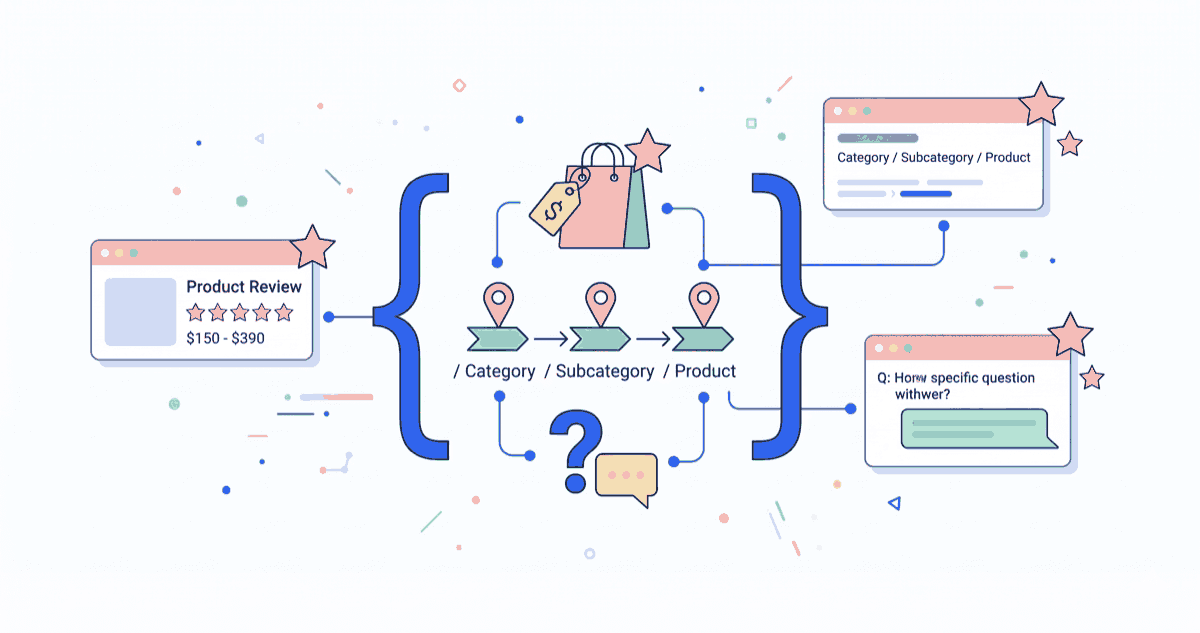
Stell dir vor, dein Produkt erscheint in Google-Suchergebnissen nicht mit langweiligem Text, sondern mit Sternen-Ratings, Preis, Verfügbarkeit und Produktbildern direkt in den SERPs. Das ist die Kraft von Schema Markup.
Schema Markup (auch Structured Data genannt) ist eine standardisierte Sprache, die Google, Bing und andere Suchmaschinen verstehen. Sie zeigen deinen Produkten damit, was ein Preis ist, wer der Hersteller ist, wie viele Sterne die Bewertung hat – ohne manuell analysieren zu müssen.
Die Vorteile:
- Rich Results – Dein Snippet ist visuell ansprechender
- Höhere CTR – Mit Sternen und Preis klicken mehr User
- Featured Snippets – Schema hilft Google, Antworten zu finden
- Voice Search Optimization – Google Assistant nutzt Schema
- E-A-T Signals – Author/Organization Schema zeigt Google Autorität
Bei smplx. haben wir gesehen, dass korrekt implementiertes Product Schema die Click-Through-Rate um 15-30% erhöhen kann. Und das bei den gleichen Rankings – nur bessere Darstellung.
1. Schema Markup Typen für E-Commerce verstehen
Die wichtigsten Schema-Typen für Shopify
Product Schema – Das Wichtigste
{
  "@context": "https://schema.org/",
  "@type": "Product",
  "name": "Laufschuhe Nike Air Max",
  "image": "https://example.com/shoe.jpg",
  "description": "Premium Laufschuhe mit Luftpolsterung",
  "brand": "Nike",
  "offers": {
    "@type": "Offer",
    "price": "89,99",
    "priceCurrency": "EUR",
    "availability": "https://schema.org/InStock"
  },
  "aggregateRating": {
    "@type": "AggregateRating",
    "ratingValue": "4.5",
    "reviewCount": "127"
  }
}
Organization Schema – Für Footer/Logo
{
  "@context": "https://schema.org",
  "@type": "Organization",
  "name": "DeinShop.de",
  "url": "https://deinshop.de",
  "logo": "https://deinshop.de/logo.png",
  "sameAs": [
    "https://www.facebook.com/deinshop",
    "https://twitter.com/deinshop"
  ],
  "contactPoint": {
    "@type": "ContactPoint",
    "contactType": "Customer Service",
    "telephone": "+49-123-456789",
    "email": "hello@deinshop.de"
  }
}
BreadcrumbList – Für Navigation
{
  "@context": "https://schema.org",
  "@type": "BreadcrumbList",
  "itemListElement": [
    {
      "@type": "ListItem",
      "position": 1,
      "name": "Startseite",
      "item": "https://deinshop.de"
    },
    {
      "@type": "ListItem",
      "position": 2,
      "name": "Schuhe",
      "item": "https://deinshop.de/schuhe"
    },
    {
      "@type": "ListItem",
      "position": 3,
      "name": "Laufschuhe",
      "item": "https://deinshop.de/schuhe/laufschuhe"
    }
  ]
}
Review Schema – Für Kundenbewertungen
{
  "@context": "https://schema.org",
  "@type": "Review",
  "reviewRating": {
    "@type": "Rating",
    "ratingValue": "5"
  },
  "author": {
    "@type": "Person",
    "name": "Max Müller"
  },
  "reviewBody": "Sehr komfortable Schuhe, würde ich wieder kaufen!",
  "datePublished": "2026-02-15"
}
FAQPage Schema – Für FAQ Seiten
{
  "@context": "https://schema.org",
  "@type": "FAQPage",
  "mainEntity": [
    {
      "@type": "Question",
      "name": "Welche Schuhgröße sollte ich wählen?",
      "acceptedAnswer": {
        "@type": "Answer",
        "text": "Wir empfehlen, eine Nummer größer zu bestellen..."
      }
    }
  ]
}
2. Product Schema in Shopify implementieren
Liquid-Implementierung für Produktseiten
Shopify-Themes haben oft schon Product Schema eingebaut, aber es ist oft unvollständig. Hier ist eine vollständige Implementierung:
{% assign first_3d_model = product.media | where: "media_type", "model" | first %}

<script type="application/ld+json">
{
  "@context": "https://schema.org/",
  "@type": "Product",
  "name": {{ product.title | json }},
  "description": {{ product.description | strip_html | json }},
  "brand": {
    "@type": "Brand",
    "name": {{ product.vendor | json }}
  },
  "image": [
    {% for media in product.featured_image %}
      "{{ media | image_url: width: 1200 }}"{{ forloop.last | unless: forloop.last: "," }}
    {% endfor %}
  ],
  "offers": {
    "@type": "Offer",
    "url": {{ product.url | absolute_url | json }},
    "priceCurrency": {{ cart.currency.iso_code | json }},
    "price": {{ product.selected_or_first_available_variant.price | divided_by: 100 | json }},
    "availability": "{% if product.selected_or_first_available_variant.available %}https://schema.org/InStock{% else %}https://schema.org/OutOfStock{% endif %}",
    "seller": {
      "@type": "Organization",
      "name": {{ shop.name | json }}
    }
  },
  {% if product.selected_or_first_available_variant.sku %}
  "sku": {{ product.selected_or_first_available_variant.sku | json }},
  {% endif %}
  {% if product.selected_or_first_available_variant.barcode %}
  "gtin": {{ product.selected_or_first_available_variant.barcode | json }},
  {% endif %}
  "aggregateRating": {
    "@type": "AggregateRating",
    "ratingValue": "4.5",
    "reviewCount": "127"
  }
}
</script>
Best Practices für Product Schema
1. Preise korrekt formatieren:
// RICHTIG (mit Dezimalpunkt)
"price": "89.99"

// FALSCH (mit Komma)
"price": "89,99"
2. Verfügbarkeit dynamisch setzen:
"availability": "{% if product.available %}
  https://schema.org/InStock
{% elsif product.selected_or_first_available_variant.available %}
  https://schema.org/PreOrder
{% else %}
  https://schema.org/OutOfStock
{% endif %}"
3. Inventory Count für Low Stock Warnings:
"inventoryLevel": {
  "@type": "QuantitativeValue",
  "value": 5
}
3. Review und AggregateRating Schema
Review Schema für echte Kundenbewertungen
Wenn du ein Review-System wie Loox, Growave oder Judge.me nutzt, sollte dein Theme automatisch Review Schema generieren.
Manuelle Implementation für Shopify:
{% if product.metafields.reviews.rating %}
<script type="application/ld+json">
{
  "@context": "https://schema.org/",
  "@type": "Product",
  "name": {{ product.title | json }},
  "aggregateRating": {
    "@type": "AggregateRating",
    "ratingValue": {{ product.metafields.reviews.rating | json }},
    "bestRating": "5",
    "worstRating": "1",
    "reviewCount": {{ product.metafields.reviews.review_count | json }}
  },
  "review": [
    {% for review in product.metafields.reviews.reviews %}
      {
        "@type": "Review",
        "author": {
          "@type": "Person",
          "name": {{ review.author | json }}
        },
        "reviewRating": {
          "@type": "Rating",
          "ratingValue": {{ review.rating | json }}
        },
        "reviewBody": {{ review.body | json }},
        "datePublished": {{ review.date | date: "%Y-%m-%d" | json }}
      }{{ forloop.last | unless: forloop.last: "," }}
    {% endfor %}
  ]
}
</script>
{% endif %}
Google Rich Result Anforderungen für Reviews
Damit deine Reviews als "Rich Results" in Google erscheinen:
- Mindestens 1 Bewertung erforderlich (Google zeigt aber eher ab 10+)
- Sternbewertung (1-5 Sterne erforderlich)
- Review-Text erforderlich (nicht nur die Sterne)
- Reviewer's Name erforderlich
- Review-Datum erforderlich
// RICHTIG – wird als Rich Result angezeigt
{
  "@type": "Review",
  "author": { "@type": "Person", "name": "Maria Schmidt" },
  "reviewRating": { "@type": "Rating", "ratingValue": "5" },
  "reviewBody": "Überragende Qualität, sehr empfehlenswert!",
  "datePublished": "2026-02-15"
}

// FALSCH – wird nicht als Rich Result angezeigt
{
  "@type": "Review",
  "reviewRating": { "@type": "Rating", "ratingValue": "5" },
  "datePublished": "2026-02-15"
  // reviewBody und author fehlen!
}
4. BreadcrumbList Schema für Kategorie-Navigation
Breadcrumbs sind essentiell für große Shops mit vielen Kategorie-Ebenen.
Breadcrumb Liquid Implementation
<script type="application/ld+json">
{
  "@context": "https://schema.org",
  "@type": "BreadcrumbList",
  "itemListElement": [
    {
      "@type": "ListItem",
      "position": 1,
      "name": "Home",
      "item": "{{ shop.url }}"
    }
    {% if collection %}
      ,{
        "@type": "ListItem",
        "position": 2,
        "name": {{ collection.title | json }},
        "item": "{{ collection.url | absolute_url }}"
      }
    {% endif %}
    {% if product %}
      ,{
        "@type": "ListItem",
        "position": 3,
        "name": {{ product.title | json }},
        "item": "{{ product.url | absolute_url }}"
      }
    {% endif %}
  ]
}
</script>
Vorteile:
- Breadcrumb-Navigation in Google SERPs angezeigt
- Bessere Crawlability für komplexe Strukturen
- Verbesserte User Experience
5. Organization Schema für Footer
Organization Schema sollte einmalig im Theme (z.B. im Footer) implementiert werden:
<script type="application/ld+json">
{
  "@context": "https://schema.org",
  "@type": "Organization",
  "name": {{ shop.name | json }},
  "url": {{ shop.url | json }},
  "logo": "{{ 'logo.png' | asset_url | absolute_url }}",
  "description": "Wir sind ein führender Online-Shop für hochwertige Produkte",
  "sameAs": [
    "https://www.facebook.com/{{ settings.facebook_username }}",
    "https://twitter.com/{{ settings.twitter_username }}",
    "https://www.instagram.com/{{ settings.instagram_username }}"
  ],
  "contactPoint": {
    "@type": "ContactPoint",
    "contactType": "Customer Service",
    "telephone": {{ settings.phone_number | json }},
    "email": {{ settings.email | json }}
  },
  "address": {
    "@type": "PostalAddress",
    "streetAddress": {{ settings.address | json }},
    "addressLocality": {{ settings.city | json }},
    "postalCode": {{ settings.zip | json }},
    "addressCountry": "DE"
  }
}
</script>
Wir rollen Schema-Markup in Kundenprojekten systematisch aus — Schema-Implementierung als SEO-Service, inkl. Monitoring und Anpassung bei Shop-Änderungen.
6. FAQ Schema für Support-Seiten
FAQ Schema ist perfekt für häufige Fragen auf Kategorie- oder Produktseiten:
<script type="application/ld+json">
{
  "@context": "https://schema.org",
  "@type": "FAQPage",
  "mainEntity": [
    {
      "@type": "Question",
      "name": "Welche Schuhgröße sollte ich wählen?",
      "acceptedAnswer": {
        "@type": "Answer",
        "text": "Wir empfehlen die Größentabelle zu nutzen. Die meisten Kunden bestellen eine Nummer größer als ihre Straßenschuhgröße."
      }
    },
    {
      "@type": "Question",
      "name": "Wie lange dauert der Versand?",
      "acceptedAnswer": {
        "@type": "Answer",
        "text": "Deutschland: 2-3 Werktage. EU: 5-7 Werktage."
      }
    }
  ]
}
</script>
7. BlogPosting Schema für Blog-Artikel
Für deinen Content Hub sollte jeder Blog-Artikel korrekt mit BlogPosting Schema ausgestattet sein:
{% if article %}
<script type="application/ld+json">
{
  "@context": "https://schema.org",
  "@type": "BlogPosting",
  "headline": {{ article.title | json }},
  "description": {{ article.excerpt_or_content | strip_html | truncate: 160 | json }},
  "image": "{{ article.image | img_url: '1200x630' | absolute_url }}",
  "datePublished": {{ article.published_at | date: "%Y-%m-%dT%H:%M:%SZ" | json }},
  "dateModified": {{ article.updated_at | date: "%Y-%m-%dT%H:%M:%SZ" | json }},
  "author": {
    "@type": "Person",
    "name": {{ article.author | json }}
  },
  "publisher": {
    "@type": "Organization",
    "name": {{ shop.name | json }},
    "logo": {
      "@type": "ImageObject",
      "url": "{{ 'logo.png' | asset_url | absolute_url }}"
    }
  }
}
</script>
{% endif %}
8. Schema Markup testen und validieren
Google Rich Results Test
Nutze Google's Rich Results Test um dein Schema zu überprüfen:
- Gehe zu https://search.google.com/test/rich-results
- URL eingeben oder Code einfügen
- Test ausführen
- Probleme beachten
Häufige Fehler:
- Missing required property "price"
- Aggregating ratings without at least 1 review
- "availability" value is not valid
Schema.org Validator
Zusätzlich: https://validator.schema.org/
Dort kannst du den JSON-LD Code direkt einfügen und validieren.
9. Häufige Fehler in Shopify Schema Implementierung
Fehler 1: Preise in falscher Formatierung
// FALSCH
"price": "{{ product.price | money }}"  // Wird zu "€89,99"

// RICHTIG
"price": {{ product.price | divided_by: 100 | json }}  // Wird zu 89.99
Fehler 2: Nicht-konservative Verfügbarkeitswerte
// FALSCH
"availability": "Available"

// RICHTIG
"availability": "https://schema.org/InStock"
Fehler 3: Mehrere Product Schemas auf einer Seite
Google kann verwirrt sein, wenn du mehrere Product Schemas (z.B. für jede Variante) ausgebst. Besser: Ein Schema pro Seite, mit allen Varianten-Daten.
// SCHLECHT: Mehrere Schemas für jede Variante
{% for variant in product.variants %}
  <script type="application/ld+json">
    {
      "@type": "Product",
      "name": {{ product.title | json }},
      "sku": {{ variant.sku | json }}
    }
  </script>
{% endfor %}

// GUT: Ein Schema mit Offer für jede Variante
<script type="application/ld+json">
{
  "@type": "Product",
  "name": {{ product.title | json }},
  "offers": [
    {% for variant in product.variants %}
      {
        "@type": "Offer",
        "sku": {{ variant.sku | json }},
        "price": {{ variant.price | divided_by: 100 | json }},
        "availability": "https://schema.org/InStock"
      }{{ forloop.last | unless: forloop.last: "," }}
    {% endfor %}
  ]
}
</script>
Fehler 4: Incompletes Review Schema
Bewertungen brauchen Name + Rating + Body + Datum, um als Rich Result zu ranken:
// FALSCH (nur Sterne, kein Text)
{
  "@type": "Review",
  "reviewRating": { "@type": "Rating", "ratingValue": "5" },
  "author": { "@type": "Person", "name": "Max" }
}

// RICHTIG (vollständig)
{
  "@type": "Review",
  "author": { "@type": "Person", "name": "Max Müller" },
  "reviewRating": { "@type": "Rating", "ratingValue": "5" },
  "reviewBody": "Toller Service, sehr zufrieden!",
  "datePublished": "2026-02-15"
}
Fehler 5: Keine Escape-Sequenzen in JSON
Besonder bei Umlauten und Sonderzeichen wichtig:
// FALSCH
"description": "Schöne Schuhe mit Größe"

// RICHTIG (nutze Liquid | json Filter)
"description": {{ product.description | json }}
10. Schema Markup für verschiedene Shopify Theme-Typen
Debut Theme (kostenloses Standard-Theme)
Debut hat gutes Product Schema out-of-the-box. Überprüfe /snippets/product-schema.liquid.
Dawn Theme (neueres Minimal-Theme)
Dawn hat modernes Schema mit besserer Struktur. Wenn dein Theme auf Dawn basiert, hast du meist schon gutes Schema.
Custom Themes
Bei Custom Themes: Überprüfe theme.liquid oder den Header-Include für Schema-Tags. Wenn nicht vorhanden, füge obige Liquid-Code-Blöcke ein.
11. Häufig übersehene Schema Opportunities
LocalBusiness Schema für lokale Shops
Wenn du ein lokales Geschäft mit Showroom hast:
{
  "@context": "https://schema.org",
  "@type": "LocalBusiness",
  "name": "DeinShop GmbH",
  "image": "https://example.com/photo.jpg",
  "address": {
    "@type": "PostalAddress",
    "streetAddress": "Hauptstraße 123",
    "addressLocality": "Coesfeld",
    "addressRegion": "NRW",
    "postalCode": "48653",
    "addressCountry": "DE"
  },
  "telephone": "+49-2541-777789",
  "url": "https://example.com",
  "openingHoursSpecification": {
    "@type": "OpeningHoursSpecification",
    "dayOfWeek": ["Monday", "Tuesday"],
    "opens": "09:00",
    "closes": "18:00"
  }
}
AggregateOffer für Varianten mit Preisspanne
{
  "@type": "AggregateOffer",
  "priceCurrency": "EUR",
  "lowPrice": "49.99",
  "highPrice": "99.99",
  "offerCount": "5",
  "offers": [
    { "@type": "Offer", "price": "49.99", "sku": "SIZE-S" },
    { "@type": "Offer", "price": "69.99", "sku": "SIZE-M" }
  ]
}
12. Schema Markup ROI und Monitoring
Überwache Rich Result Impressions
In Google Search Console:
- Gehe zu "Leistung"
- Filter: "Suchart" → "Produktergebnisse"
- Sieh, wie viele Impressionen deine Rich Results generieren
Shops mit korrektem Product Schema sehen oft:
- +15-30% CTR (weil Sterne und Preis sichtbar sind)
- +20% Impressions (Google zeigt deine Snippets mehr an)
- Bessere Position für "Featured Snippets"
Automatisiertes Schema Monitoring
Nutze Tools wie:
- Screaming Frog: Crawle regelmäßig Schema-Tags
- SE Ranking: Monitore Schema-Fehler
- Structured Data Testing Tool von Yandex: Für internationale SEO
13. Die smplx. Schema Markup Lösung
Für Shopify-Shops, die vollständiges Schema Markup implementieren möchten:
Schema Setup & Implementation (ab 6k €):
- Audit aller existierenden Schema-Tags
- Product Schema Optimierung für alle Produkte
- Review/Rating Schema Integration
- Organization + LocalBusiness Schema Setup
- Testing und Validation
- Google Search Console Konfiguration
Ongoing Schema Maintenance (ab 1,5k €/mo):
- Monitoring von Schema-Fehlern
- Regelmäßige Rich Results Überprüfung
- Update bei neuen Schema Standards
Diese Investition zahlt sich durch höhere CTR und bessere Sichtbarkeit schnell zurück.
Fazit: Schema Markup ist nicht optional
Schema Markup ist nicht nur eine SEO-Technik – es ist ein muss für moderne E-Commerce. Google bevorzugt Websites mit umfassendem Schema Markup und belohnt sie mit besserer Sichtbarkeit und Rich Results.
Nächste Schritte:
- Test deine Website mit Google Rich Results Test
- Überprüfe dein Theme-Template auf fehlende Schema-Tags
- Implementiere mindestens: Product, Organization, BreadcrumbList
- Teste regelmäßig mit Rich Results Test
Wenn du Hilfe bei Schema Implementation brauchst, kontaktiere das smplx. Team – wir optimieren dein Shopify-Theme für vollständiges Structured Data Markup.
Kontakt: hello@smplx.de | Coesfeld, NRW