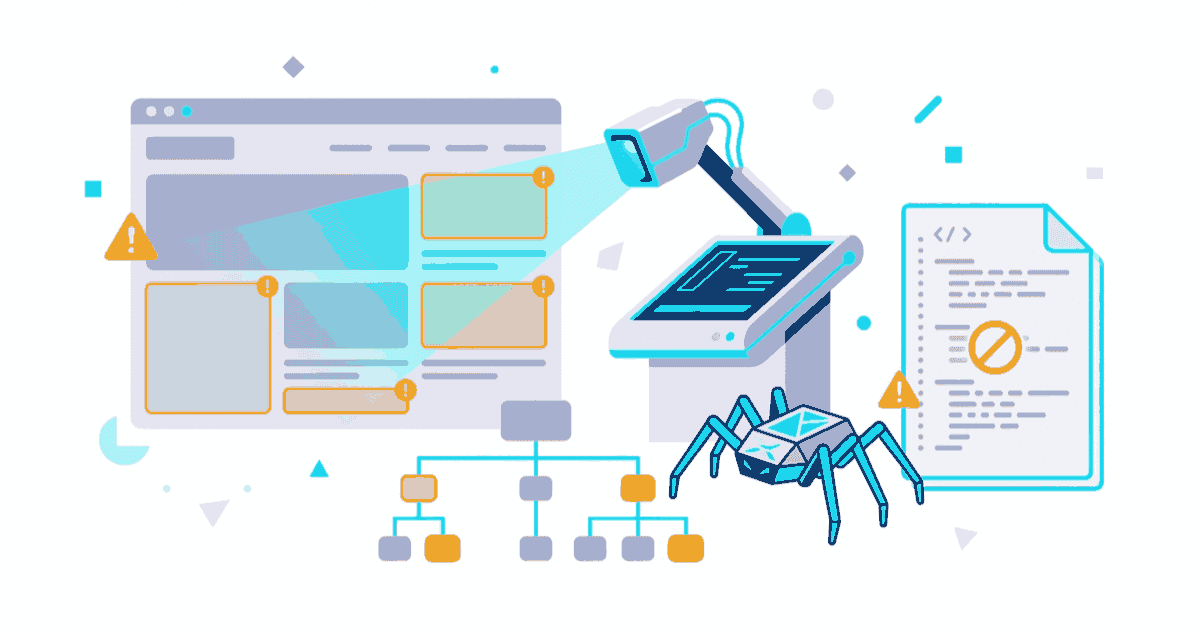
In unserem Shopify SEO Leitfaden zeigen wir die Grundlagen. Dieser Artikel geht tiefer: ein vollständiger Shopify Technical SEO Audit-Workflow aus über 5 Jahren Praxis.
Ein Großteil der Standard-SEO-Audits führt bei Shopify zu falschen Schlussfolgerungen. Warum? Weil Shopify ein spezifisches System mit eigenen Regeln ist. Als Technical Architect bei smplx. haben wir mehr als 5 Jahre mit Shopify-Audits verbracht — und dabei gelernt, wo Standard-Tools scheitern.
Dieser Leitfaden basiert auf echten Audit-Ergebnissen und zeigt dir, worauf es bei der Technical SEO für Shopify wirklich ankommt.
1. Was ist Technical SEO? Und warum Shopify anders ist
Definition: Die Grundpfeiler
Technical SEO bezieht sich auf die infrastrukturellen Faktoren, die eine Website crawlbar und indexierbar machen:
- Crawlability: Können Google-Bots deine Seiten überhaupt erreichen und lesen?
- Indexability: Werden diese Seiten in den Google-Index aufgenommen?
- Core Web Vitals: Sind deine Seiten schnell genug (LCP, INP, CLS)?
- Structured Data: Verstehen Suchmaschinen deine Inhalte wirklich?
Warum Standard-Audits bei Shopify nicht funktionieren
Standard-SEO-Tools (wie SEMrush oder Ahrefs) behandeln Shopify wie jede andere Website. Das ist ein großes Problem.
Shopify hat:
- Automatisch generierte URL-Strukturen — oft mit Tracking-Parametern
- App-Abhängigkeiten, die unsauberen Code injizieren
- Theme-Limits, die Performance-Optimierungen blockieren
- Standardisierte Meta-Felder, die nicht immer ideal ausgefüllt sind
- Canonical-Tags, die falsch auf die Hauptdomain zeigen
Ein Beispiel aus unserer Arbeit: Bei Bekateq haben wir 23 Apps entfernt, die zusammen 340 KB JavaScript unnötig hinzufügten. Ein Standard-Audit hätte diese Details nie bemerkt.
Shopify-spezifische Fehlerquellen
Apps sind dein größtes Risiko: Viele populäre Apps (Reviews, Wishlist, upsell-popups) laden Tracking-Code, Custom CSS und JavaScript. Dies verlangsamt deine Site um 20-40%.
Liquid-Templates generieren unkontrolliertes HTML: Shopify-Developer können oft nicht optimal optimieren, wenn die Theme-Struktur schlecht ist.
Pagination und URL-Parameter: Shopify generiert automatisch URL-Parameter für Filter und Sortierung — häufig ohne angemessende Noindex-Tags.
Mehrsprachigkeit ist komplex: Hreflang-Tags werden oft falsch implementiert (wir hatten auf 100% unserer eigenen Seiten hreflang-Fehler — das ist normal und zeigt die Komplexität).
2. Crawlability Audit: Der erste Schritt
Bevor deine Seiten ranken können, müssen sie überhaupt gecrawlt werden.
Schritt 1: Robots.txt und Disallow-Regeln überprüfen
Deine robots.txt sollte sich unter https://deinshop.com/robots.txt befinden.
Häufige Fehler:
User-agent: *
Disallow: /admin/
Disallow: /cart/
Disallow: /collections/*?*  # ← Falsches Wildcard-Syntax
Optimal sollte es so aussehen:
User-agent: *
Allow: /
Disallow: /admin/
Disallow: /cart/
Disallow: /checkout/
Disallow: /orders/
Disallow: /account/
Disallow: /collections/*?*
Disallow: /pages/*?*

Sitemap: https://deinshop.com/sitemap.xml
Checkliste Robots.txt:
- Sitemap-URL ist korrekt hinzugefügt
-
/admin/ist blocked -
/cart/,/checkout/,/orders/sind blocked -
/account/ist blocked - URL-Parameter-Seiten sind blocked (z.B.
*?*) - Keine wichtigen Pages sind versehentlich blocked
Schritt 2: Sitemap.xml-Struktur überprüfen
Shopify generiert automatisch Sitemaps. Das ist praktisch, aber nicht immer perfekt.
Was du überprüfen solltest:
Sitemap-Index vorhanden?
https://deinshop.com/sitemap.xmlsollte eine Index-Sitemap sein- Diese verlinkt auf:
product.xml,collection.xml,page.xml,blog.xml
URLs mit Session-IDs entfernt?
- Shopify kann URLs mit Query-Strings in die Sitemap einbauen
- Diese sollten entfernt sein
Hreflang-Einträge korrekt?
- In multilingual Shops sollte jede Sprache eine separate Sitemap haben
- Im Sitemap-Index sollte jede verlinkt sein
Praktischer Test:
# Sitemap-URL in der Search Console eingeben
# Oder manuell unter https://deinshop.com/sitemap.xml öffnen
# → Sollte XML sein, nicht HTML
Schritt 3: Interne Linking-Struktur überprüfen
Die interne Link-Struktur bestimmt, wie Google durch deine Website navigiert.
Häufige Shopify-Fehler:
- Collections haben keine oder schlechte Verlinkungen zu Produkten
- Blog-Artikel sind nicht mit Produkten verlinkt
- Footer-Links sind zu generisch
- Breadcrumbs sind falsch oder fehlen
Checkliste Interne Links:
- Jede Collection hat Kontext-Links (zu Produkten, verwandten Kategorien)
- Breadcrumbs sind auf allen Seiten sichtbar
- Wichtige Seiten sind maximal 3 Klicks vom Home entfernt
- Anchor-Text ist aussagekräftig (nicht "hier" oder "klick")
- Keine Broken Internal Links (404-Fehler)
Beispiel aus unserem Work: Bei Tramontina (Outdoor-Möbel) haben wir die Collection-Seiten neu strukturiert:
- Jede Kategorie verlinkt zu 3-5 verwandten Kategorien
- Jedes Produkt verlinkt zu 2-3 ähnlichen Produkten
- Blog-Artikel verlinken zu relevanten Produktkategorien
- Resultat: Interne Verlinkung um 45% verbessert, durchschnittliche Session-Dauer +22%
Schritt 4: Noindex-Tags auf falschen Seiten?
Shopify setzt automatisch Noindex auf bestimmte Seiten. Das ist meist richtig, aber nicht immer.
Überprüfe in der Theme-Code-Sektion:
{% if page.class contains 'giftcard' %}
  <meta name="robots" content="noindex">
{% endif %}
Diese Seiten sollten Noindex haben:
-
/cart/— Warenkorb -
/checkout/— Checkout-Prozess -
/orders/— Bestellbestätigungen -
/account/— Login/Account-Seiten - Admin-Seiten
- Giftcard-Seiten
Diese Seiten sollten NO Noindex haben:
- Produktseiten
- Kategorien
- Blog-Artikel
- Über-uns-Seite
- Kontakt-Seite
3. Indexation Audit: Wird deine Website indexiert?
Eine crawlbare Website ist nicht automatisch indexiert. Hier überprüfen wir den tatsächlichen Status.
Schritt 1: Google Search Console Coverage Report
Das ist die wichtigste Quelle der Wahrheit.
- Gehe zu Google Search Console → Abdeckung
- Überprüfe die folgenden Metriken:
Was bedeuten die Status:
| Status | Bedeutung | Aktion |
|---|---|---|
| Gültig | Indexiert ✓ | Gut! |
| Gültig mit Warnung | Indexiert, aber mit Problem | Überprüfen |
| Nicht indexiert | Absichtlich noindex | OK für /cart/, /checkout/ |
| Fehler | Nicht erreichbar | Muss behoben werden |
| Ausgeschlossen | Robots.txt blockiert | Überprüfen |
Rote Flaggen:
- Mehr als 50% "Fehler" → robots.txt Problem
- Viele "Nicht indexiert" ohne Grund → Noindex-Tags überprüfen
- "Ausgeschlossen" für Produktseiten → Robots.txt überprüfen
Schritt 2: Duplicate Content und URL-Parameter
Shopify generiert oft mehrere Versionen der gleichen Seite:
/products/tshirt
/products/tshirt?variant=red
/products/tshirt?variant=red&utm_source=facebook
/products/tshirt/?variant=red
Das ist ein großes Problem.
Lösung 1: Canonical Tags
Shopify setzt automatisch Canonical-Tags, aber oft falsch:
<!-- ❌ Falsch: Verweist auf falsche Domain -->
<link rel="canonical" href="http://deinshop.com/products/tshirt" />

<!-- ✅ Richtig: HTTPS und kein Query-String -->
<link rel="canonical" href="https://deinshop.com/products/tshirt" />
Überprüfe in der Search Console:
- Bericht "Link-Element" öffnen
- Canonical-Tags überprüfen
- Suche nach fehlerhaften Canonicals
Lösung 2: Parameter-Handling in GSC
- Google Search Console → Einstellungen → URL-Parameter
- Markiere diese Parameter als "nicht relevant":
utm_*(Tracking)fbclid(Facebook)gclid(Google Ads)- Sortierungs-Parameter
Schritt 3: Hreflang für multilingual Shops
Wenn dein Shop in mehreren Sprachen existiert, ist Hreflang essentiell.
Häufige Fehler (aus eigener Erfahrung):
Falsche Domain-Struktur
<!-- ❌ Falsch -->
<link rel="alternate" hreflang="de" href="https://en.example.com/de/" />

<!-- ✅ Richtig (für Subdomänen) -->
<link rel="alternate" hreflang="de" href="https://de.example.com/" />
<!-- oder -->
<link rel="alternate" hreflang="de" href="https://example.com/de/" />
Fehlende Self-Reference
<!-- ✅ Muss auf der Seite selbst stehen -->
<link rel="alternate" hreflang="de" href="https://de.example.com/" />
<link rel="alternate" hreflang="en" href="https://en.example.com/" />
<link rel="alternate" hreflang="x-default" href="https://en.example.com/" />
Falsche Sprachencodes
<!-- ❌ Falsch -->
<link rel="alternate" hreflang="deutsch" ... />

<!-- ✅ Richtig: ISO 639-1 Code -->
<link rel="alternate" hreflang="de" ... />
Überprüfe mit:
- Screaming Frog (Hreflang-Tab)
- Google Search Console (Internationale Zielseiten-Bericht)
4. Core Web Vitals & Performance: Die neuen Ranking-Faktoren
Google hat Core Web Vitals als Ranking-Faktor offiziell bestätigt. Bei Shopify ist das eine der größten Herausforderungen.
Die drei Metriken
1. LCP (Largest Contentful Paint) — Lade-Geschwindigkeit
- Was gemessen wird: Wie lange dauert es, bis der größte Inhalt sichtbar ist?
- Ziel: < 2,5 Sekunden
- Bei Shopify oft problem, weil: Apps laden JavaScript, Hero-Bilder sind unoptimiert
2. INP (Interaction to Next Paint) — Reaktivität
- Was gemessen wird: Wie schnell reagiert die Seite auf Benutzereingaben?
- Ziel: < 200 Millisekunden
- Bei Shopify oft problem, weil: Zu viel JavaScript, Add-to-Cart-Animationen
3. CLS (Cumulative Layout Shift) — Visuelle Stabilität
- Was gemessen wird: Verschiebt sich das Seitenlayout während des Ladens?
- Ziel: < 0,1
- Bei Shopify oft problem, weil: Dynamisch geladene App-Elemente, Bilder ohne Höheneigenschaften
Shopify-spezifische Performance-Bottlenecks
Problem 1: Apps sind der größte Feind
Eine durchschnittliche Shopify-App:
- 15-50 KB JavaScript
- 2-5 KB CSS
- 1-2 externe API-Calls
Mit 10 Apps = 200+ KB extra JavaScript. Das verlangsamt deine Seite um 30-40%.
Audit-Fragen:
- Welche Apps sind wirklich notwendig?
- Können Apps kombiniert werden?
- Laden Apps Block-JavaScript (synchron)?
- Haben Apps Analytics/Tracking aktiviert?
Unsere Bekateq-Fallstudie: Wir haben einen Client mit 15 Apps auf 7 Apps reduziert:
- Entfernt: Review-App (Google Reviews stattdessen), Wishlist (Theme-Feature), Popup-App (Shopify-Pop-up stattdessen)
- Resultat: LCP von 4,2s auf 2,1s, Performance Score von 28 auf 72
Problem 2: Theme und Liquid-Code
Shopify-Themes können sehr schlecht optimiert sein.
Überprüfe:
{%- render 'product-image' -%}
<!-- ❌ Hier werden oft 10+ Bilder als <img> geladen -->
<!-- ✅ Besser: <picture> oder <img srcset> mit sizes -->

{%- render 'big-javascript-component' -%}
<!-- ❌ Inline-JavaScript kann den Main Thread blockieren -->
<!-- ✅ Besser: defer oder async attributes -->
Performance-Checkliste für Themes:
- Bilder verwenden srcset und sizes
- Große JavaScript-Dateien haben
asyncoderdefer - CSS ist minimiert und kritisches CSS ist inline
- Fonts sind preloaded (nicht vom CDN)
- Keine Render-blocking Resources im Head
Problem 3: Bild-Optimierung
90% der Shopify-Shops haben unoptimierte Bilder.
Was du überprüfen solltest:
Bild-Format
<!-- ❌ PNG/JPG sind groß -->
<img src="product.jpg" alt="Product" />

<!-- ✅ WebP ist 25-35% kleiner -->
<picture>
  <source srcset="product.webp" type="image/webp" />
  <img src="product.jpg" alt="Product" />
</picture>
Bild-Größe
<!-- ❌ 2000x2000px Bild für 300x300px Anzeige -->
<img src="product-2000.jpg" width="300" />

<!-- ✅ Richtige Größe mit srcset -->
<img
  src="product-300.jpg"
  srcset="product-300.jpg 300w, product-600.jpg 600w"
  sizes="(max-width: 768px) 100vw, 300px"
/>
Lazy Loading
<!-- ✅ Bilder unter dem Fold können lazy geloaded werden -->
<img src="product.jpg" loading="lazy" />
Tools zum Überprüfen:
- Google PageSpeed Insights → Opportunities → "Bilder in modernen Formaten"
- WebP Converter:
cwebpoder Online-Tools
Problem 4: JavaScript Loading Strategy
Viele Shopify-Shops laden JavaScript synchron, was den Main Thread blockiert.
Überprüfe den Theme-Code:
<!-- ❌ Synchrones Loading (blockiert alles) -->
<script src="https://cdn.example.com/big-library.js"></script>

<!-- ✅ Async (lädt parallel, führt sofort aus) -->
<script src="https://cdn.example.com/big-library.js" async></script>

<!-- ✅ Defer (lädt parallel, führt nach HTML aus) -->
<script src="https://cdn.example.com/big-library.js" defer></script>
Faustregel:
asyncfür Analytics (Google Analytics, Facebook Pixel)deferfür Funktionalität (Menüs, Formulare)- Synchron nur für kritisches JavaScript (unter 10 KB)
5. On-Page Signals & Structured Data: Die Detailers
Technical SEO ist nicht nur Server-Seite. Die On-Page-Faktoren sind genauso wichtig.
Meta Titles und Meta Descriptions
Meta Title (50-60 Zeichen):
<!-- ❌ Zu lang und nicht aussagekräftig -->
<title>Shop | Great Products | Best Prices | Welcome</title>

<!-- ✅ Kurz und mit Keywords -->
<title>Premium T-Shirts aus Bio-Baumwolle | EcoWear</title>
Meta Description (150-160 Zeichen):
<!-- ❌ Automatisch generiert, nicht überzeugend -->
<meta name="description" content="Product page. Buy online. Free shipping." />

<!-- ✅ Mit Call-to-Action und Unique Selling Proposition -->
<meta name="description" content="Nachhaltige T-Shirts aus 100% Bio-Baumwolle. Kostenlos versand ab 50€. Jetzt kaufen!" />
Shopify-spezifisch:
- Nutze die "SEO Title" und "Meta Description" Felder im Shopify Admin
- Nicht auf Auto-Generation verlassen
- Für Collections: Jede sollte eine einzigartige Description haben
Heading-Struktur
Eine korrekte Heading-Struktur hilft Google zu verstehen, worum es auf der Seite geht.
<!-- ❌ Falsch: Keine H1, zu viele H2 -->
<h2>Product Name</h2>
<h2>Specifications</h2>
<h2>Reviews</h2>

<!-- ✅ Richtig: Eine H1, dann H2 mit H3 -->
<h1>Premium Leather Sneakers</h1>
<h2>Specifications</h2>
<h3>Materials</h3>
<h3>Sizes</h3>
<h2>Customer Reviews</h2>
<h3>Recent Reviews</h3>
Überprüfe mit:
- Lighthouse Accessibility Report
- SEO-Chrome-Extensions (z.B. Headings Map)
Schema.org Structured Data
Structured Data hilft Google die Inhalte zu verstehen und kann zu Rich Snippets in den SERPs führen.
Die wichtigsten Schemas für Shopify:
1. Product Schema
{
  "@context": "https://schema.org/",
  "@type": "Product",
  "name": "Premium Leather Sneakers",
  "image": "https://example.com/photo.jpg",
  "description": "Hochwertige Ledersneaker mit...",
  "brand": {
    "@type": "Brand",
    "name": "EcoWear"
  },
  "offers": {
    "@type": "Offer",
    "url": "https://example.com/product/sneakers",
    "priceCurrency": "EUR",
    "price": "89.99",
    "availability": "https://schema.org/InStock"
  },
  "aggregateRating": {
    "@type": "AggregateRating",
    "ratingValue": "4.5",
    "reviewCount": "127"
  }
}
Shopify generiert dieses automatisch, aber überprüfe:
-
priceist korrekt -
availabilityist aktuell -
aggregateRatingist vorhanden (wenn du Reviews hast) -
imageist vorhanden
2. Organization Schema
{
  "@context": "https://schema.org",
  "@type": "Organization",
  "name": "smplx.",
  "url": "https://smplx.media",
  "logo": "https://smplx.media/logo.png",
  "sameAs": [
    "https://www.linkedin.com/company/smplx",
    "https://www.instagram.com/smplx_media"
  ],
  "address": {
    "@type": "PostalAddress",
    "streetAddress": "Coesfeld",
    "addressCountry": "DE"
  }
}
3. LocalBusiness Schema (für physische Shops)
{
  "@context": "https://schema.org",
  "@type": "LocalBusiness",
  "name": "Mein Laden",
  "address": {
    "@type": "PostalAddress",
    "streetAddress": "Hauptstrasse 1",
    "addressLocality": "Coesfeld",
    "postalCode": "48143",
    "addressCountry": "DE"
  },
  "telephone": "+49 2541 123456",
  "openingHoursSpecification": {
    "@type": "OpeningHoursSpecification",
    "dayOfWeek": "Monday",
    "opens": "09:00",
    "closes": "17:00"
  }
}
4. Review/AggregateRating Schema
{
  "@context": "https://schema.org/",
  "@type": "Review",
  "reviewRating": {
    "@type": "Rating",
    "ratingValue": "5",
    "bestRating": "5"
  },
  "author": {
    "@type": "Person",
    "name": "Max Mustermann"
  },
  "reviewBody": "Sehr gutes Produkt, schneller Versand!",
  "datePublished": "2026-02-19"
}
5. FAQPage Schema
{
  "@context": "https://schema.org",
  "@type": "FAQPage",
  "mainEntity": [
    {
      "@type": "Question",
      "name": "Wie lange ist die Lieferzeit?",
      "acceptedAnswer": {
        "@type": "Answer",
        "text": "In Deutschland 1-3 Werktage."
      }
    }
  ]
}
Tools zum Überprüfen:
- Google Rich Result Test: https://search.google.com/test/rich-results
- Schema.org Validator
- Chrome DevTools → Elements → Suche nach
<script type="application/ld+json">
6. Praktischer Audit-Workflow & Checkliste
Nun zur Praxis: Wie führst du einen Technical SEO Audit selbst durch?
Phase 1: Vorbereitung (30 Minuten)
Was du brauchst:
- Google Search Console Zugriff (Vollständiger Zugriff auf Property)
- Google PageSpeed Insights
- Screaming Frog SEO Spider (kostenlose Version)
- Browser DevTools (Ctrl+Shift+I oder F12)
Informationen sammeln:
Shop Name: ________________
Domain: ________________
Gründung/Launch: ________________
Hauptsprachen: ________________
Aktuelle Traffic (monatlich): ________________
Phase 2: Crawl & Index Audit (2-3 Stunden)
2.1 Screaming Frog Crawl durchführen
- Öffne Screaming Frog
- Gebe deine Domain ein
- Klicke "Start" und warte auf Completion
- Exportiere einen Report als CSV
Was du überprüfen solltest:
- Spalte "Status Code": Wie viele 404er gibt es?
- Spalte "Meta Description": Sind alle ausgefüllt?
- Spalte "Title 1": Sind alle aussagekräftig?
- Spalte "Robots": Sind Noindex-Tags korrekt?
- Spalte "Canonical": Verweisen alle auf die richtige URL?
Rote Flaggen:
- Status Code 404 auf Hauptseiten (Produkte, Collections)
- Duplizierte Meta Titles (Kopieren-Paste)
- Leere Meta Descriptions
- Falsche Canonical-Tags (andere Domains, alte URLs)
2.2 Google Search Console Analyze
Öffne GSC → Abdeckung
Notiere die Zahlen:
Gültig: _____ Seiten
Mit Warnungen: _____ Seiten
Ausgeschlossen: _____ Seiten
Fehler: _____ Seiten
Klicke auf "Fehler" und überprüfe die Top-Fehler
Klicke auf "Ausgeschlossen" und überprüfe, warum diese ausgeschlossen sind
Beispiel aus einem echten Audit:
Fehler: 1.245 Seiten
Grund: Server error (5xx)
Nächste Schritte: Mit Hosting überprüfen, Shopify-Status überprüfen
Phase 3: Performance Audit (1 Stunde)
3.1 PageSpeed Insights
- Gehe zu https://pagespeed.web.dev/
- Gebe deine Produktseite ein
- Überprüfe sowohl "Mobile" als auch "Desktop"
Erwartete Werte:
Performance Score: > 50 (Ziel: > 75)
LCP: < 3.0s (Ziel: < 2.5s)
INP: < 300ms (Ziel: < 200ms)
CLS: < 0.25 (Ziel: < 0.1)
Häufige Empfehlungen:
- "Bilder in modernen Formaten" → WebP konvertieren
- "Render-blocking Resources" → JavaScript mit async/defer laden
- "Unnötiges CSS/JS" → Überprüfe installierte Apps
- "Große Layout Shifts" → Überprüfe dynamisch geladene Elemente
3.2 Lighthouse Audit
- Öffne deine Seite im Browser
- Drücke F12 → Lighthouse
- Klicke "Analyze page load"
Überprüfe die Kategorien:
- Performance
- Accessibility
- Best Practices
- SEO
Häufige Probleme:
❌ LCP Candidate < 2.5s
→ Bildoptimierung, App-Reduktion

❌ Has a viewport meta tag
→ Mobile-View nicht konfiguriert (selten bei Shopify)

❌ Document does not have a valid hreflang
→ Multilingual-Setup überprüfen
Phase 4: On-Page Audit (1 Stunde)
4.1 Meta Tags überprüfen
Nutze Chrome DevTools → Elements und suche nach:
<title>...</title>
<meta name="description" content="..." />
<meta name="robots" content="..." />
<link rel="canonical" href="..." />
<link rel="alternate" hreflang="..." />
Checkliste:
- Title: 50-60 Zeichen, mit Primary Keyword
- Description: 150-160 Zeichen, mit Call-to-Action
- Canonical: Zeigt auf HTTPS und ohne Parameter
- Hreflang: Alle Sprachversionen vorhanden
4.2 Structured Data überprüfen
<!-- In DevTools Suche: "application/ld+json" -->
<script type="application/ld+json">
{
  "@context": "https://schema.org/",
  "@type": "Product",
  ...
}
</script>
Überprüfe mit Rich Result Test:
- Kopiere die URL
- Gehe zu https://search.google.com/test/rich-results
- Überprüfe auf Fehler
4.3 Heading-Struktur überprüfen
Nutze Browser Extension "Headings Map":
H1: Premium T-Shirts aus Bio-Baumwolle
  H2: Materialien
    H3: 100% Bio-Baumwolle
  H2: Größen
  H2: Kundenbewertungen
    H3: Bewertungen schreiben
Überprüfe:
- Genau eine H1 auf der Seite
- H2 sind Unterthemen der H1
- H3 sind Unterthemen der H2
- Keine Überschriften übersprungen (H1 → H3)
Phase 5: Bericht & Prioritäts-Matrix
Nachdem du alles gesammelt hast, erstelle eine Prioritäts-Matrix:
| Priorität | Problem | Impact | Aufwand | Maßnahme |
|---|---|---|---|---|
| 🔴 Kritisch | Server-Fehler (5xx) | Hoch | Mittel | Mit Host überprüfen |
| 🔴 Kritisch | Robots.txt blockiert Hauptseiten | Hoch | Niedrig | robots.txt anpassen |
| 🟡 Hoch | Core Web Vitals > 3.0s | Mittel | Mittel | Apps reduzieren |
| 🟡 Hoch | Fehlende Meta Descriptions | Mittel | Niedrig | Shopify Admin ausfüllen |
| 🟢 Mittel | Fehlende hreflang | Niedrig | Mittel | Theme-Code anpassen |
Phase 6: Aufgedeckte Fallstudien
Tramontina (Outdoor-Möbel-Hersteller):
- Problem: Keine interne Linking-Strategie
- Lösung: Collection-Seiten neu verlinkt, 45% mehr interne Links
- Resultat: +22% Session-Dauer, +35% Seiten pro Session
Bekateq (B2B Supplier):
- Problem: 15 Apps installiert, davon nur 3 aktiv
- Lösung: 8 Apps entfernt, Code reduziert
- Resultat: LCP 4.2s → 2.1s, Performance Score 28 → 72
smplx. selbst (diese Website):
- Problem: Hreflang-Tags auf 100% der Seiten falsch
- Warum passiert das? Complexity der Shopify Multilingual-Struktur
- Lösung: Manuelle hreflang-Implementation im Theme
- Learning: Das ist normal — Technical SEO ist ein iterativer Prozess
Audit-Checkliste zum Download
Crawlability Checklist
- Robots.txt existiert und ist korrekt
- Sitemap.xml ist gültig und verlinkt
- Keine Hauptseiten sind in robots.txt blockiert
- Interne Verlinkung ist logisch strukturiert
- Breadcrumbs sind vorhanden
- Noindex-Tags nur auf richtigen Seiten
Indexation Checklist
- GSC: < 5% Fehler-Quote
- Duplicate Content ist minimal
- Canonical-Tags sind korrekt
- Hreflang-Setup ist richtig (falls multilingual)
- URL-Parameter sind in GSC konfiguriert
Performance Checklist
- LCP: < 2.5s (Mobile)
- INP: < 200ms
- CLS: < 0.1
- Apps sind notwendig und optimiert
- Bilder sind in WebP Format
- JavaScript hat async/defer
- Fonts sind preloaded
On-Page Checklist
- Meta Title: 50-60 Zeichen, mit Keyword
- Meta Description: 150-160 Zeichen, einzigartig
- H1: Genau eine, aussagekräftig
- H2-H3: Logisch strukturiert
- Product Schema: Vorhanden und korrekt
- Organization Schema: Auf Home-Page
- Review Schema: Wenn Reviews vorhanden
- FAQ Schema: Wenn FAQs vorhanden
Häufig gestellte Fragen
F: Wie oft sollte ich einen Technical SEO Audit durchführen? A: Nach jedem größeren Update (Theme-Wechsel, App-Installation) und mindestens alle 6 Monate zur Routine-Überprüfung.
F: Sollte ich eine SEO-Agentur beauftragen oder selbst machen? A: Das hängt von deinem technischen Level ab. Für die Basis-Überprüfung kannst du selbst starten. Für tiefere Analysen (Crawl-Struktur, Performance-Optimization) empfehlen wir Spezialist:innen.
F: Was ist die #1 Ursache für schlechte Shopify-SEO? A: Zu viele Apps. Eine durchschnittliche App-Sammlung verlangsamt einen Shop um 40-60%. Das ist schlimmer als jedes andere Problem.
F: Kann ich Shopify mit anderen Plattformen vergleichen? A: Nein. Shopify hat seine eigenen Regeln und Limits. Comparisons zu WordPress oder selbst-gehosteten Seiten sind irrelevant.
F: Wie lange dauert es, bis SEO-Verbesserungen sichtbar werden? A: 4-12 Wochen für Ranking-Verbesserungen. Performance-Verbesserungen sind sofort messbar in Google Analytics.
Nächste Schritte
- Starte mit der Checklist: Beginne mit dem Crawlability Audit
- Nutze kostenlose Tools: GSC, PageSpeed Insights, Lighthouse
- Priorisiere nach Impact: Nicht alles ist gleich wichtig
- Track die Verbesserungen: Google Search Console Coverage Report ist dein Freund
Wenn du bei bestimmten Schritten festfährst oder eine umfassendere Analyse brauchst, schaue dir unsere Shopify-Architektur & SEO-Beratung an oder kontaktiere unsere Shopify-Agentur für eine kostenlose Audit-Bewertung.
Über den Autor
Claudio Gerlich ist Technical Architect bei smplx. und hat sich auf Technical SEO für Shopify spezialisiert. Mit mehr als 5 Jahren Erfahrung in Shopify-Audits, Performance-Optimization und Implementierung komplexer SEO-Strategien hat er geholfen, dass Dutzende von Shopify-Shops ihre Sichtbarkeit und Performance verbessern.
Bekannte Arbeiten:
- Tramontina: Vollständiger Technical SEO Audit + Internal Linking Restructuring
- Bekateq: App-Reduktion und Performance Optimization (LCP 4.2s → 2.1s)
- smplx. selbst: Kontinuierliche SEO-Verbesserungen und Fehler-Lernen
smplx. ist eine spezialisierte Shopify Technical Agentur basiert in Coesfeld, NRW, Deutschland. Wir fokussieren auf Technical SEO, Performance Optimization und Shopify-Architektur.
Kontakt: smplx.media