
What Is a 301 Redirect and Why Is It Critical During a Migration?
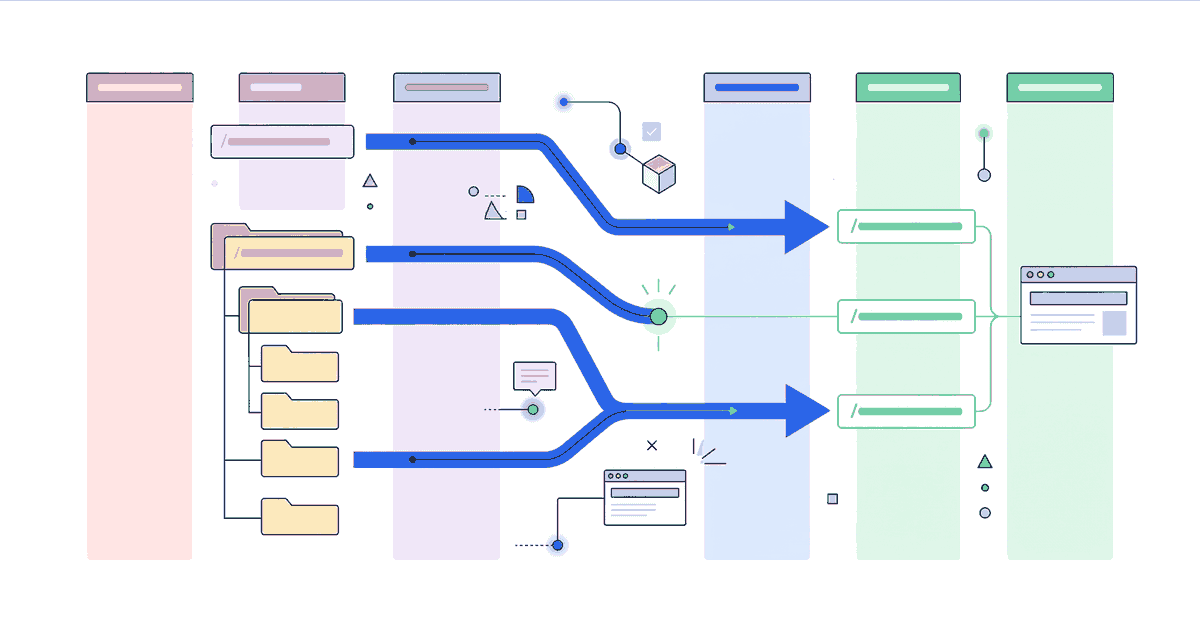
A 301 redirect is a permanent forwarding from an old URL to a new one. It tells Google: this page has permanently moved. Please transfer all rankings, backlinks, and indexing signals to the new address.
During a Shopify migration, redirect mapping is the single most important measure for preserving rankings. Without complete mapping, Google finds 404 pages instead of content. The result: ranking losses that can take months to recover — if they ever do.
This article shows step by step how to create a redirect mapping for your Shopify migration, what Shopify-specific considerations exist, and how to ensure no redirect is missing after go-live.
Step 1: Capture All Old URLs
Before you can map anything, you need a complete list of all URLs that Google knows. Three sources complement each other:
Google Search Console
Under "Indexing" > "Pages", you'll find all URLs that Google has indexed. Export this list. It also contains URLs that might not be in your sitemap but are still indexed in Google — for example through external links.
Sitemap Export
Download the current XML sitemap of your old store. It contains all URLs that your store actively communicates to Google.
Crawl with Screaming Frog
Crawl your old store with Screaming Frog or a comparable tool. The crawl result shows you all internal URLs — including those not in the sitemap and not indexed in Google, but still linked internally.
Merge: Combine all three lists. Remove duplicates. The result is your complete URL inventory.
Step 2: Prioritise URLs
Not all URLs are equally important. Prioritise by:
| Priority | Criterion | Action |
|---|---|---|
| High | URL has organic traffic | Redirect mandatory |
| High | URL has backlinks | Redirect mandatory |
| Medium | URL is indexed but without traffic/links | Redirect recommended |
| Low | URL is not indexed | Redirect optional |
Use Google Analytics and Google Search Console for traffic data, and Ahrefs or Sistrix for backlink data.
Step 3: Assign New URLs
Now comes the core work: every old URL gets a new URL assigned. The new URL must semantically match the old one — not simply redirect to the homepage.
Mapping Rules
/old-category/summer-jackets→/collections/summer-jackets(not →/)/blog/shopify-tips→/wissen/shopify-tips(not →/blog)/product/blue-jacket-xl→/products/blue-jacket(not →/collections/jackets)- If no 1:1 match exists → next best thematically matching page
Mapping Table (Example)
| Old URL | New URL (Shopify) | Priority | Note |
|---|---|---|---|
/summer-jackets/ |
/collections/summer-jackets |
High | Category → Collection |
/summer-jackets/blue-jacket |
/products/blue-jacket |
High | Product detail |
/blog/shopify-seo-tips |
/wissen/shopify-seo-tips |
Medium | Blog URL change |
/about-us |
/pages/about |
Medium | Static page |
/terms |
/pages/terms |
Low | No SEO value |
Step 4: Implement Redirects in Shopify
Shopify offers several ways to implement 301 redirects:
Shopify Admin: URL Redirects
Under Online Store > Navigation > URL Redirects, you can create redirects manually or via CSV import.
CSV format:
Redirect from,Redirect to
/old-page,/new-page
/blog/old-post,/wissen/new-post
Important: The "Redirect from" URLs are relative paths without the domain. Shopify adds the domain automatically.
Bulk Import for Large Stores
For stores with hundreds or thousands of URLs, manual entry isn't an option. Use the CSV bulk import:
- Create a CSV file with two columns:
Redirect fromandRedirect to - Go to Online Store > Navigation > URL Redirects
- Click Import
- Upload the CSV file
Shopify Limitations
Shopify has some redirect limitations you need to know:
- Maximum count: Shopify allows up to 100,000 redirects per store. Sufficient for most migrations, but relevant for very large stores with millions of URLs.
- No wildcard redirects: Shopify doesn't support pattern redirects like
/blog/*→/wissen/*. Every URL must be mapped individually. - No regex redirects: No regular expressions. Every redirect is an exact path mapping.
- Query parameters: Shopify ignores query parameters in redirects.
/collection?page=2cannot be redirected separately. - Conflicts with existing URLs: If a new URL has the same path as a redirect, the new URL wins. The redirect is ignored.
Alternative: Redirect Apps
For more complex requirements, Shopify apps like "Easy Redirects" or "Redirect Manager" support wildcard patterns, regex, and bulk operations. The downside: additional dependency and monthly costs.
Edge Cases in Redirect Mapping
Parameter URLs
Many platforms use URL parameters for filters and sorting: /jackets?color=blue&size=xl. Shopify uses URL paths instead: /collections/jackets/blue+xl. These parameter URLs can't be individually redirected. Solution: redirect to the next best page — in this case /collections/jackets.
Paginated Pages
URLs like /blog?page=2 or /collections/jackets?page=3 are in most cases not individually redirect-relevant, as Google understands them as part of the paginated sequence. Redirecting to the first page of the sequence is sufficient.
Trailing Slashes
Shopify removes trailing slashes automatically: /collections/jackets/ becomes /collections/jackets. Make sure your redirects account for this.
Multi-Language Stores
For international stores, redirects must be created for each language version:
/de/jacken→/collections/jacken(or to the language-specific URL)/en/jackets→/en/collections/jackets/es/chaquetas→/es/collections/chaquetas
Subdomain Changes
If the domain also changes (e.g., from shop.example.com to example.com), redirects must be configured at the web server level — not in Shopify. This requires access to DNS settings and possibly a separate redirect server for the old domain.
Post-Launch Monitoring
The redirect mapping is only as good as its implementation. After go-live, you must actively verify:
Google Search Console
- Indexing coverage: Regularly check for new 404 errors. Every 404 is a missing redirect.
- Page inspection: Test individual old URLs — are they correctly redirected?
- Crawl stats: Watch whether Google is crawling the new URLs.
Spot Checks
Test the top 50 redirects manually:
- Enter the old URL in the browser
- Check: is it redirected to the correct new URL?
- Check: is it a 301 (permanent) and not a 302 (temporary)?
Use a tool like "httpstatus.io" or browser dev tools (Network tab) to verify the HTTP status code.
Add Missing Redirects
In the first weeks after go-live, new 404 errors will keep appearing — URLs that weren't in the original mapping but are being crawled by Google. This is normal. What matters is that you systematically catch these and add the missing redirects.
Common Mistakes in Redirect Mapping
1. Redirecting Everything to the Homepage
The biggest mistake: redirecting all old URLs to /. Google treats this as a soft 404 and doesn't transfer ranking signals. Every redirect must point to a thematically relevant page.
2. Redirect Chains
A redirects to B, B redirects to C, C redirects to D. Every hop in the chain costs crawl budget and can dilute ranking signals. Maximum one hop: directly from A to the final destination.
3. 302 Instead of 301
A 302 redirect is temporary. Google doesn't transfer ranking signals because it assumes the old URL will return. For a migration, it must always be a 301.
4. Not Testing Redirects
Setting up redirects and hoping they work isn't a strategy. Test every single redirect before go-live — at minimum the high-priority URLs.
5. Removing Redirects After 6 Months
Some teams remove redirects after a while, thinking Google has learned the new URLs. This is risky. 301 redirects should remain permanently as long as external links or bookmarks point to the old URLs.
Tools for Redirect Mapping
| Tool | Purpose | Cost |
|---|---|---|
| Screaming Frog | Crawling the old store | Free (up to 500 URLs) |
| Google Search Console | Indexed URLs, 404 monitoring | Free |
| Google Sheets | Creating the mapping table | Free |
| Ahrefs / Sistrix | Backlink analysis, traffic data | From ~€100/month |
| httpstatus.io | Checking redirect status codes | Free |
Summary
301 redirect mapping is the technical foundation of every successful Shopify migration. Without complete mapping, you lose rankings, backlinks, and traffic. With clean mapping, your organic performance is preserved — or even improves if you use the migration as an opportunity to clean up technical debt.
The investment in clean redirect mapping saves you a multiple of the lost revenue that a botched relaunch would cause.
Further reading: Shopify Relaunch: How to Preserve Your Rankings for the complete relaunch checklist. Or back to the Shopify Migration hub for the full overview.