
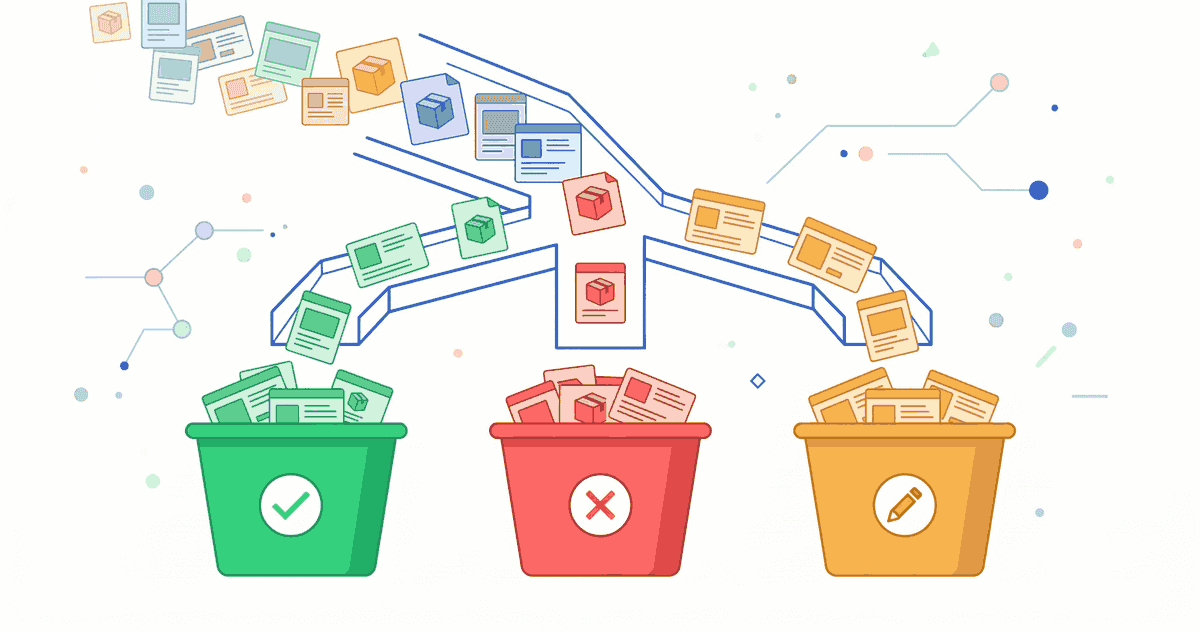
Why Content Migration Needs Its Own Strategy
During a Shopify relaunch, content is frequently neglected. New design, new structure — and the old content is either copied 1:1, arbitrarily deleted, or completely ignored. All three approaches are problematic.
Content is the reason Google ranks your store. If you lose content that has rankings during a migration, you lose traffic. If you carry over weak content unchanged, you miss the opportunity to improve your content quality during the relaunch.
This article shows how to plan a content migration strategically: which content is valuable? What can go? And how do you use the relaunch as an opportunity for better content?
Step 1: Content Inventory
Before making decisions, you need a complete overview of all content in the old store.
Which Content Types to Capture?
- Category pages / collection descriptions: Often the most valuable SEO pages
- Product descriptions: Individual products with unique texts
- Blog articles: Guides, tutorials, news
- Landing pages: SEO landing pages, campaign pages
- Static pages: About, FAQ, Contact, Terms, Privacy
- Meta data: Title tags, meta descriptions, alt texts
Data to Capture Per Page
| Field | Source |
|---|---|
| URL | Crawl export |
| Organic traffic (last 6 months) | Google Analytics / Search Console |
| Top keywords | Search Console |
| Backlinks | Ahrefs / Sistrix |
| Word count | Crawl export |
| Last updated | CMS export |
Step 2: Decision Matrix
Based on the collected data, assign each piece of content to one of four categories:
Keep (Migrate 1:1)
Criteria: Page has organic traffic, backlinks, good quality content, ranks for relevant keywords.
Action: Migrate content completely. Keep meta data. Set 301 redirect from old to new URL.
Consolidate (Merge)
Criteria: Multiple pages cover the same topic, individual pages are too thin, content overlaps.
Action: Merge best parts into one stronger page. Redirect all old URLs via 301 to the new consolidated URL.
Delete (With Redirect)
Criteria: No organic traffic, no backlinks, outdated or irrelevant, thin content.
Action: Don't migrate. Set 301 redirect to the thematically closest page. Don't redirect to the homepage.
Rewrite (Improve)
Criteria: Page has ranking potential but weak content, keywords are relevant but the page doesn't rank well enough.
Action: Completely rewrite content. Keep URL (or redirect old to new). Optimise meta data. The relaunch is the perfect opportunity to replace weak content with strong content.
Step 3: Category Pages — The Most Valuable Pages
Category pages (in Shopify: collections) are often the most important SEO pages. They rank for generic, high-volume keywords.
Why Category Texts Are Critical
- They give Google the thematic context of the collection
- They enable rankings for generic keywords
- They're often the pages with the most internal links
During Migration
- Never delete category texts without checking if they have rankings
- Check text quality: Real, helpful texts or keyword spam?
- Check length: At least 200-300 words for relevant collections
- Structure: H2/H3 headings, paragraphs, possibly FAQ block
Step 4: Product Descriptions
Keep vs. Rewrite
The decision depends on quality:
- Manufacturer texts: If every store uses the same text, none rank well. Unique descriptions are better.
- Unique texts: Keep if well-written and current.
- Thin descriptions: Under 100 words — improve during relaunch.
For Large Catalogues
Stores with thousands of products can't individually optimise every description:
- Top 100 products (by revenue and traffic): Individually optimised descriptions
- Middle segment: Template-based descriptions with variable sections
- Long tail: Standardised descriptions with basic information
Step 5: Blog Content Migration
Prioritisation
- A priority: Articles with organic traffic and/or backlinks → migrate immediately
- B priority: Articles without traffic but valuable content → migrate and improve
- C priority: Outdated articles without traffic → don't migrate, 301 to relevant new page
Formatting
- Maintain heading hierarchy (H2, H3)
- Convert images to correct formats and sizes
- Update internal links (new URL structure)
- Check code snippets and tables
Step 6: Systematically Migrate Meta Data
Meta data is most frequently forgotten during migrations — and the loss is particularly painful because optimised titles directly correlate with rankings.
Workflow
- Export: All title tags and meta descriptions from the old store
- Mapping: Assign old URL + title + description to the new URL
- Import: Import meta data into Shopify (bulk edit or app)
- Verification: Spot-check 20-30 pages manually
Don't Forget Alt Texts
Image alt texts are an often forgotten element. They contribute to image SEO and are important for accessibility.
Thin Content Opportunity: The Relaunch as a Chance
A relaunch is the perfect opportunity to identify and improve thin content:
- Pages under 300 words: Can the content be expanded?
- Duplicate content: Are there pages with almost identical content?
- Outdated content: Update information from 3+ years ago
- Missing content: Are there keywords the store should rank for but has no content?
Summary
A content migration isn't a purely technical task — it's a strategic decision about the value of every piece of content. With a systematic inventory, clear decision criteria, and the right prioritisation, you ensure valuable content is preserved and the relaunch simultaneously improves content quality.
Further reading: Relaunch SEO Audit | Migration Checklist | Shopify Migration Hub