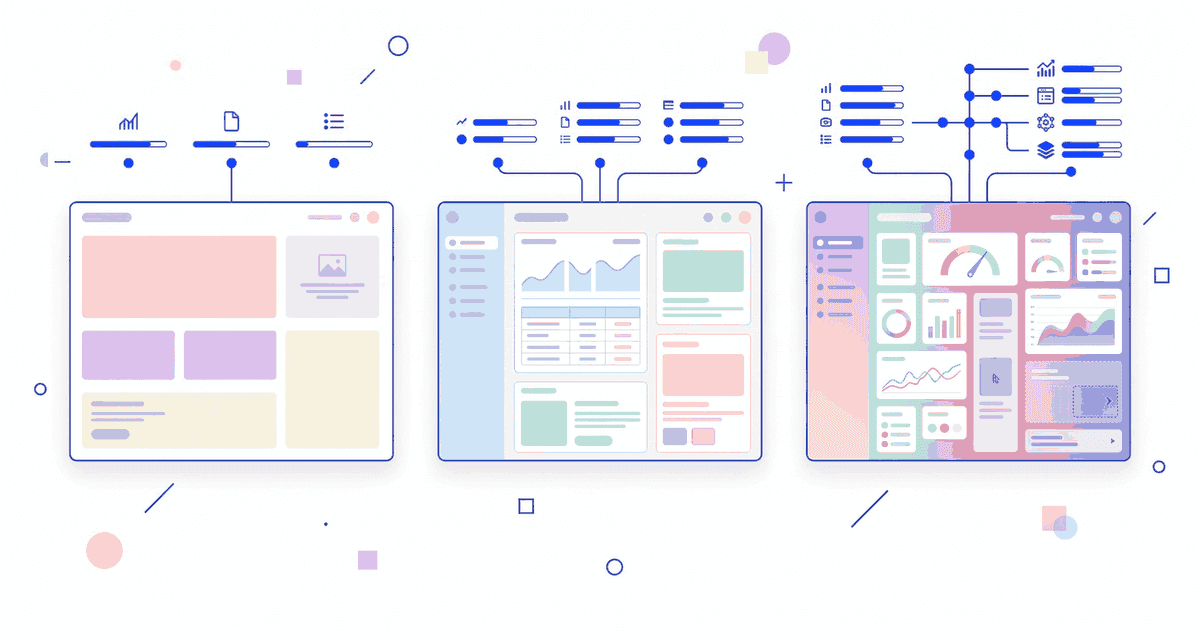
Die Theme-Wahl ist eine der wichtigsten Entscheidungen beim Shopify-Setup. Sie beeinflusst Performance, SEO, Conversion-Rate und langfristige Wartbarkeit. Und trotzdem wird sie oft nach Optik getroffen: "Das sieht gut aus, nehmen wir."
Das ist ein teurer Fehler. In diesem Guide vergleichen wir die drei Optionen -- kostenlose Themes, Premium-Themes und Custom Themes -- auf den Ebenen die wirklich zahlen: Performance, Architektur, Skalierbarkeit und Total Cost of Ownership.
Die drei Optionen im Überblick
Option 1: Kostenlose Themes (Dawn & Co.)
Shopify bietet 13 kostenlose Themes. Dawn ist das Default-Theme und die Referenz-Implementierung von Shopify OS 2.0.
Dawn im Detail:
- Moderne Code-Basis (Web Components, keine jQuery)
- Performance-optimiert (Shopify's eigenes Performance-Team)
- Section-basierte Architektur (OS 2.0 Standard)
- Minimalistisches Design (muss angepasst werden)
- Regelmasige Updates von Shopify
Andere kostenlose Themes:
- Sense: Wellness/Beauty-fokussiert, warme Asthetik
- Craft: Handgemachte Produkte, Editorial-Stil
- Ride: Sportlich, action-orientiert
- Colorblock: Bold, farbintensiv
- Taste: Food & Beverage
Option 2: Premium-Themes (100-400 Euro)
Premium-Themes aus dem Shopify Theme Store oder von Drittanbietern. Die beliebtesten:
Impulse (320 Euro): Vielseitig, viele Sections, gute Mega-Menu-Optionen. Beliebt für Fashion und Lifestyle.
Prestige (350 Euro): Luxus-orientiert, elegantes Design, Image-fokussiert. Gut für High-End-Brands.
Warehouse (350 Euro): Für große Kataloge, starke Filter, Collection-fokussiert.
Turbo (350 Euro): Performance-optimiert, viele integrierte Features (Mega-Menu, Quick-View, Color Swatches).
Focal (280 Euro): Clean, modern, Editorial-Layout. Gut für Content-getriebene Stores.
Option 3: Custom Theme (ab 6.000 Euro)
Ein Theme das von Grund auf für deinen Store gebaut wird. Keine Vorlage, keine Kompromisse.
Performance-Vergleich
Performance ist ein Ranking-Faktor (Core Web Vitals) und beeinflusst direkt die Conversion-Rate. Google's eigene Daten: 1 Sekunde langsamere Ladezeit = 7% weniger Conversions.
Lighthouse Scores (Durchschnitt, Mobile)
| Theme | Performance | Accessibility | Best Practices | SEO |
|---|---|---|---|---|
| Dawn | 85-95 | 95+ | 95+ | 95+ |
| Sense | 80-90 | 90+ | 95+ | 95+ |
| Impulse | 60-75 | 85+ | 90+ | 90+ |
| Prestige | 55-70 | 85+ | 90+ | 85+ |
| Turbo | 65-80 | 85+ | 90+ | 90+ |
| Custom (smplx.) | 85-98 | 95+ | 95+ | 95+ |
Warum Premium-Themes langsamer sind:
- Mehr JavaScript (Features die du vielleicht nicht brauchst)
- Größere CSS-Bundles (Styling für alle Varianten)
- Mehr DOM-Elemente (komplexere Layouts)
- Third-Party Fonts (oft 2-3 Fonts statt 1)
Warum Dawn und Custom die schnellsten sind:
- Dawn: Minimale Code-Basis, von Shopify's Performance-Team optimiert
- Custom: Nur Code der gebraucht wird, keine toten Features
Core Web Vitals im Detail
LCP (Largest Contentful Paint):
- Dawn: 1.5-2.5s (exzellent)
- Premium: 2.5-4.5s (problematisch)
- Custom: 1.2-2.2s (exzellent)
CLS (Cumulative Layout Shift):
- Dawn: 0.02-0.05 (exzellent)
- Premium: 0.05-0.15 (mittelmasig)
- Custom: 0.01-0.03 (exzellent)
INP (Interaction to Next Paint):
- Dawn: 50-120ms (exzellent)
- Premium: 150-400ms (oft problematisch)
- Custom: 40-100ms (exzellent)
Feature-Vergleich
Was kostenlose Themes können
Dawn und die anderen kostenlosen Themes decken die Grundlagen ab:
- Responsive Design (Mobile + Desktop)
- Section-basierte Architektur
- Mega-Menu (einige Themes)
- Product Media Gallery (Bilder, Video, 3D)
- Cart Drawer / Cart Page
- Basis-Filterung (Collection Pages)
- Predigtive Search
- Blog-Sektion
Was Premium-Themes zusätzlich bieten
- Mega-Menu mit Multi-Column-Layout und Bildern
- Quick-View (Produkt-Details im Overlay)
- Color Swatches (Farbauswahl als visuelle Swatches)
- Wishlist (Wunschliste-Funktion)
- Produkt-Tabs (Beschreibung, Reviews, Shipping in Tabs)
- Countdown Timer (FOMO-Element)
- Infinite Scroll auf Collection Pages
- Advanced Filtering (mehr Filtermoglichkeiten)
- Lookbook Layouts (Image Hotspots, Shoppable Images)
Was ein Custom Theme bietet
Alles was dein Business braucht -- nichts was es nicht braucht.
Beispiele aus unserer Praxis:
- Custom Product Configurator (J.Clay: Grossenberatung)
- B2B-spezifische Pricing-Anzeige (Bekateq: Kundengruppen-Preise)
- Multi-Variant Product Pages (Tramontina: Produktlinien)
- Custom Collection Filters basierend auf Metaobjects
- Performance-optimierte Lazy-Loading-Patterns
- Custom Section Library für wiederverwendbare Content-Blöcke
Kosten-Vergleich: Total Cost of Ownership
Jahr 1
| Dawn | Premium | Custom (smplx.) | |
|---|---|---|---|
| Theme-Kauf | 0 Euro | 280-350 Euro | 6.000-10.000+ Euro |
| Customization | 2.000-5.000 Euro | 1.000-3.000 Euro | 0 Euro (inkludiert) |
| Apps für fehlende Features | 50-200 Euro/Monat | 20-100 Euro/Monat | 0-50 Euro/Monat |
| Performance-Fixes | 500-2.000 Euro | 1.000-3.000 Euro | 0 Euro (inkludiert) |
| Total Jahr 1 | 3.100-8.400 Euro | 1.760-5.950 Euro | 6.000-10.600 Euro |
Jahr 2-3
| Dawn | Premium | Custom (smplx.) | |
|---|---|---|---|
| Theme-Updates | Kostenlos | 0-100 Euro | Im Scale-Retainer |
| Feature-Erweiterungen | 1.000-3.000 Euro | 1.000-3.000 Euro | 500-2.000 Euro |
| App-Kosten | 600-2.400 Euro | 240-1.200 Euro | 0-600 Euro |
| Performance-Maintenance | 500-1.500 Euro | 1.000-2.000 Euro | 0-500 Euro |
| Total Jahr 2-3 | 2.100-6.900 Euro | 2.240-6.300 Euro | 500-3.100 Euro |
Erkenntnis: Custom Themes sind in Jahr 1 teurer, aber in Jahr 2-3 erheblich günstiger. Über 3 Jahre ist die Gesamtinvestition ahnlich -- aber mit einem Custom Theme hast du ein System das genau zu deinem Business passt.
Wann welches Theme?
Dawn (oder anderes kostenloses Theme) wahlen wenn:
- Du gerade startest und Budget minimal ist
- Deine Produkte Standard sind (keine komplexe Konfiguration)
- Du weniger als 100 Produkte hast
- Du erst validieren willst ob dein Business funktioniert
- Du spater auf Custom upgraden willst
Unser Tipp: Dawn ist ein exzellenter Startpunkt. Wir nutzen es in unserem Foundation Service als Basis und passen es an dein Branding an. Das Ergebnis: professionell, schnell, bezahlbar.
Premium-Theme wahlen wenn:
- Du ein bestehendes Business hast mit erprobtem Konzept
- Du spezifische Features brauchst die Dawn nicht hat (Mega-Menu, Quick-View)
- Du keine Entwickler-Ressourcen für Custom Code hast
- Dein Budget zwischen 5.000 und 10.000 Euro liegt
- Du einen Store-Launch in 2-4 Wochen brauchst
Unser Tipp: Wenn Premium, dann Impulse oder Focal. Beste Balance aus Features und Performance. Vermeide Themes mit "alles integriert" -- je mehr Features, desto langsamer.
Custom Theme wahlen wenn:
- Dein Business einzigartige Anforderungen hat
- Performance kritisch ist (>100k Besucher/Monat)
- Du komplexe Produktkonfigurationen brauchst
- Du B2B und B2C in einem Store kombinierst
- Du planst, den Store über 3+ Jahre zu skalieren
- Du die vollen Kosten von App-Abhangigkeiten vermeiden willst
Unser Tipp: Unser Architecture+ Service ist genau dafur: Custom Theme, saubere Architektur, zukunftssicher. Ab 10.000 Euro.
Haufige Fehler bei der Theme-Wahl
Fehler 1: Theme nach Optik wahlen
Das Design ist anpassbar. Die Code-Qualitat nicht. Ein hubsches Theme mit schlechtem Code wird zum Performance-Problem.
Fehler 2: Features mit Apps nachrüsten
"Das Theme kann das nicht, also installiere ich eine App." Das funktioniert einmal. Beim zehnten Mal hast du 10 Apps, 200 Euro/Monat und einen langsamen Store.
Fehler 3: Theme nie updaten
Theme-Updates enthalten Sicherheits-Patches und Performance-Verbesserungen. Wenn du dein Theme stark angepasst hast, sind Updates schwierig -- das ist ein Architektur-Problem.
Fehler 4: Zu fruh ein Custom Theme bauen
Wenn du noch nicht weisst, was dein Store braucht, ist ein Custom Theme rausgeworfenes Geld. Starte mit Dawn, sammle Daten, und baue dann Custom.
Theme-Performance optimieren: Quick Wins
Unabhangig vom Theme -- diese Optimierungen gelten immer:
1. Bilder komprimieren WebP-Format, max. 200 KB pro Hero-Bild. Shopify's CDN liefert automatisch das beste Format.
2. Ungenutzte Apps entfernen Jede App ladt JavaScript. Jedes Script kostet Millisekunden. Prufe regelmasig.
3. Fonts minimieren Maximal 2 Fonts, keine Google Fonts (DSGVO + Performance). System Fonts oder Self-Hosted.
4. Lazy Loading aktivieren Bilder unterhalb des Viewports erst laden wenn sie sichtbar werden. In modernen Themes Standard.
5. Third-Party Scripts prüfen Analytics, Chat-Widgets, Tracking-Pixel -- jedes Script kostet. Wirklich jedes.
Für eine vollstandige Analyse: Unser Technical Audit pruft alle Performance-Faktoren systematisch.
Fazit
Die Theme-Wahl ist keine Geschmacksfrage -- es ist eine Architektur-Entscheidung. Wahle basierend auf deinen Anforderungen, nicht auf Screenshots.
- Starte mit Dawn wenn du validierst
- Nutze ein Premium-Theme wenn du bewahrte Features ohne Custom Code brauchst
- Baue ein Custom Theme wenn dein Business einzigartig ist und du langfristig denkst
Egal welches Theme: Performance, SEO und Wartbarkeit sind die Metriken die zahlen. Nicht die Anzahl der eingebauten Features.